Adding Pages to the Navigation
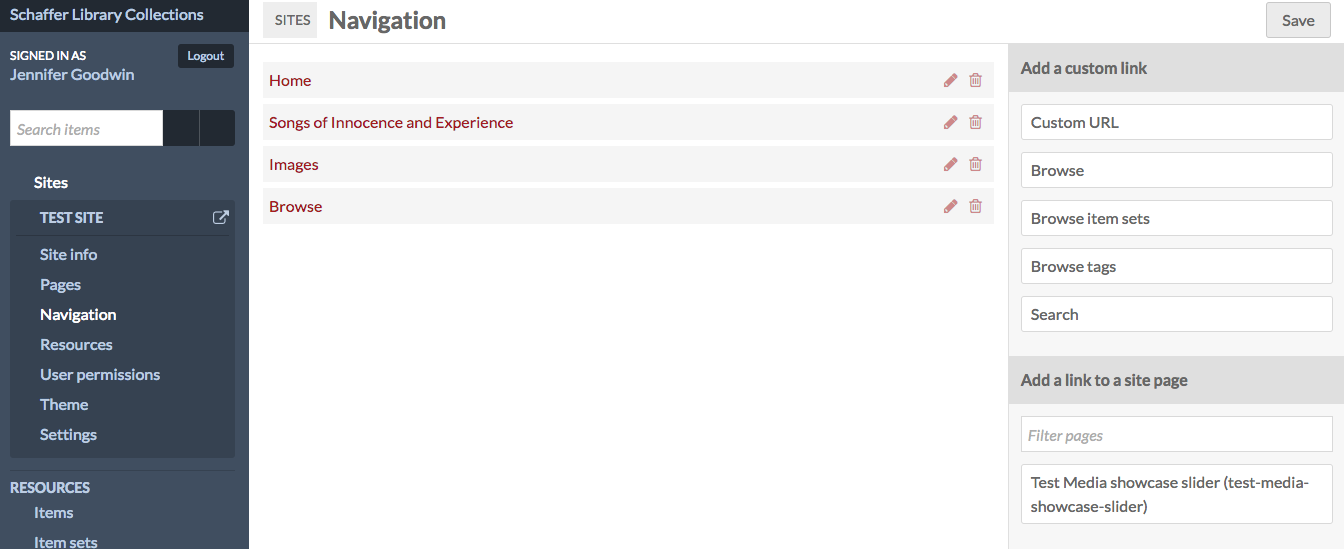
fig. 1
You will want to have already created the pages in your website before you add them to the navigation section. You should see all of the pages you have created on the right hand side as shown in figure 1.
Top Navigation Items
These include such options as "Home, Browse, About, etc" and other subject headings. If you have more than 10 pages that you want to inlcude in your menu, please consider nesting some pages into a sub navigation. A good example of a site that organizes sub pages by topic is the exhibition, Out in the Archives.
Creating a Sub Navigation
Drag pages under a main navigation item so the pages are appropriately nested in the website's navigation (fig 3). See how this is done for "Differential Calculus" on Omeka Digital Scholarship. Figure 4 is the result of figure 3.
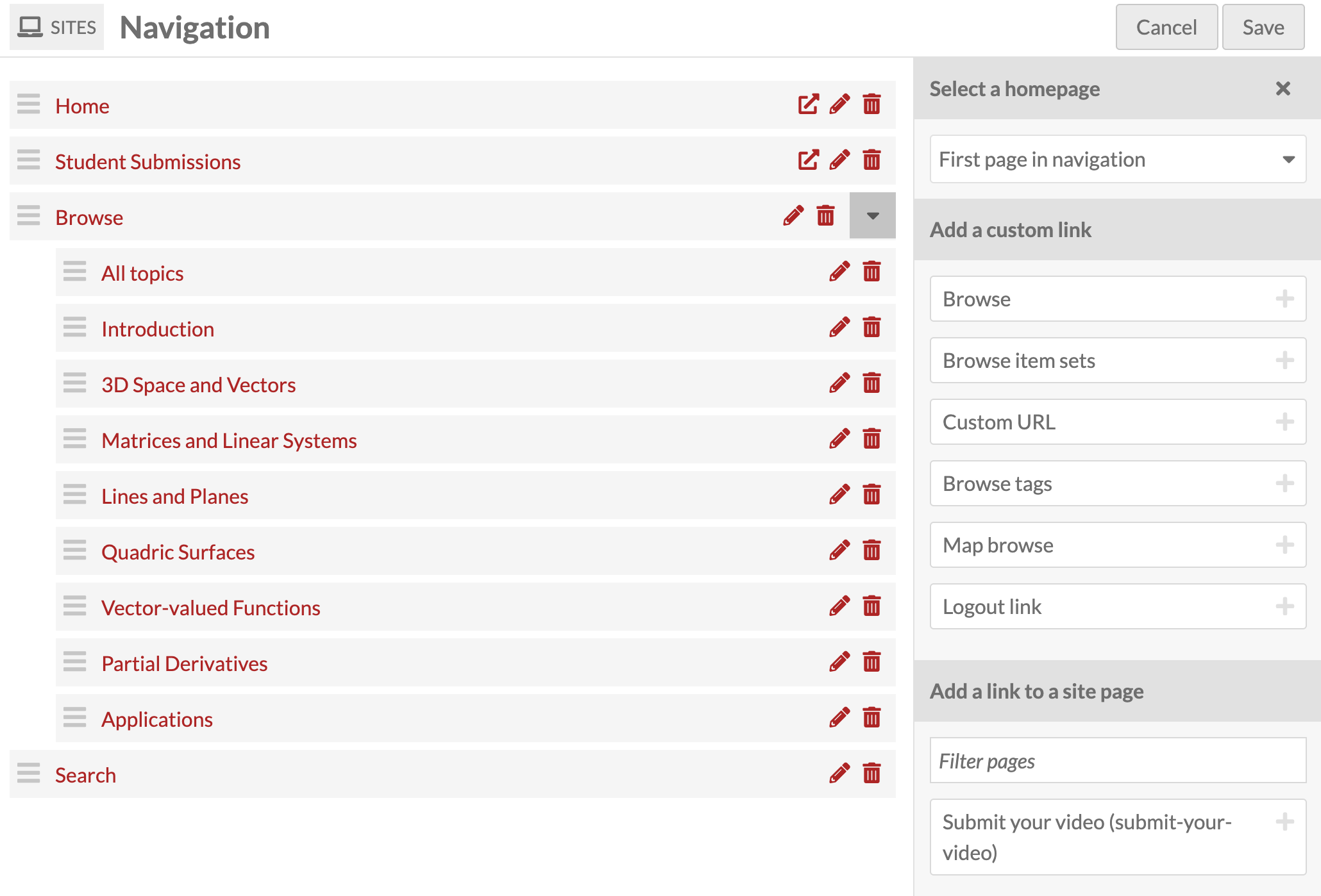
fig. 3

fig. 4